HEIST Rob a Store Controls for Every Platform
PC, mobile, tablet, and gamepad inputs for locks, cameras, safes, loot, and loud fights.
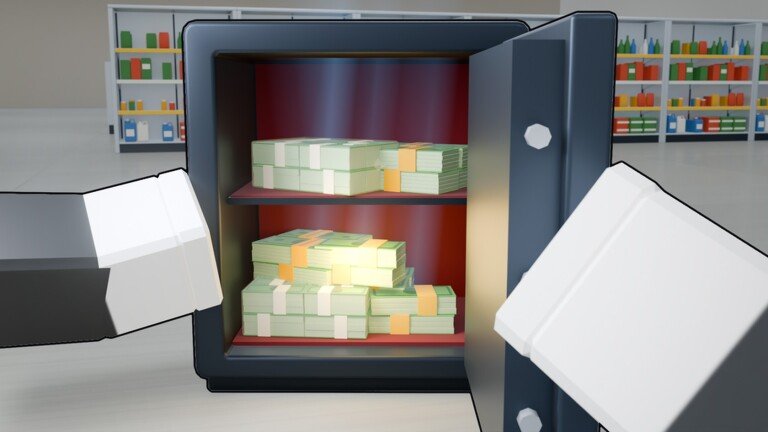
HEIST: Rob a Store runs on the standard Roblox input stack, so the same heist loop works on keyboard and mouse, touch, and controllers. Exact glyphs can shift with Roblox client updates, but the roles of each action stay stable: move quietly, interact with locks and panels, read cameras, bag loot, sprint to the van, and only then swap to guns if police are already called. This controls guide maps those roles so you stop canceling a fingerprint clone mid-animation or missing the van prompt under pressure.
Pair this page with Getting Started for day-one flow and How to Heist for objective order. Controls alone will not teach camera cones — they only make sure your fingers can execute the plan you already chose.
Universal action map
Think in verbs, not only key names:
| Action | What it does in HEIST |
|---|---|
| Move / look | Path around guards and camera arcs |
| Interact / hold interact | Lockpick, fingerprint clone, rewire, loot pickup, van load |
| Sprint | Short reposition between cover; do not spam through open floors |
| Aim / fire | Loud plan-B once stealth fails |
| Menu / Rewards | Codes after tutorial, inventory, loadout |
| Crouch / slow walk (if available) | Tighten camera peeks on PC |
If a patch remaps a button, the verb still matches the HUD prompt on the object you are facing. Always trust the on-screen prompt over memory when Radiant ships a UI tweak.
PC (keyboard and mouse)
Most serious stealth clears happen on PC because mouse look lets you peek camera cones without spinning the whole avatar.
- WASD — movement. Strafe while facing the threat you care about; do not backpedal blind into a second camera.
- Mouse — look and fine aim. Use small adjustments when lining up a lockpick or panel.
- Interact key (commonly E or the Roblox default bind) — start and continue lockpicks, fingerprint clones, safe rewires, loot grabs, and van deposits. Hold when the prompt requires a sustained channel.
- Sprint (commonly Shift) — burst between cover. Sprinting in front of a guard is how quiet runs die.
- Fire / aim — only after you decide the job is loud. Pre-aim the hallway that leads to the van, not the decorative lobby.
- Escape / Roblox menu — pause to fix binds if interact feels wrong on your layout.
Practice one full quiet store where you never touch a gun. Confirm you can finish interact channels without releasing early. That muscle memory matters more than fancy bind layouts.
Mobile and tablet
Touch lobbies are huge in early access. The heist still expects precision on locks and rewires, so set yourself up before the breach:
- Enable a comfortable joystick size in Roblox settings if the default thumb zone fights the interact button.
- Keep the interact control free — do not start a long fingerprint with a finger already glued to sprint.
- Use short peeks: move, stop, look, then move again. Continuous joystick drift walks you into cameras.
- Prefer shorter store targets until your thumbs can finish a safe panel without canceling.
- When the lobby goes loud, plant your thumbs: left for reposition, right for look/fire. Panic swipe-aim wastes the van window.
Tablet players get a larger canvas — use it. Sit the device so the interact button does not collide with the edge of your grip.
Gamepad
Controllers work well for crew sessions on couch setups and consoles through Roblox.
- Left stick — move. Feather the stick near cameras; full tilt is for van sprints after the bag is secure.
- Right stick — look. Slow the look sensitivity if you overshoot fingerprint pads.
- Face button (interact) — same sustained holds as PC. Learn which face button your client labels for “Interact” and keep it consistent across games so muscle memory sticks.
- Triggers — aim and shoot once loud. Do not ride the trigger while still stealth-tagged unless you intend to start the fight.
- Bumpers — often map to Roblox emotes or secondary actions; clear accidental bumper presses before a delicate rewire.
If your pad has gyro or adaptive triggers, treat them as optional. HEIST success comes from timing windows, not hardware gimmicks.
HUD and menu controls that matter
- Rewards (right side) — redeem codes after the tutorial. Mis-taps here waste session time; open it in a safe lobby area.
- Loadout / guns — seven firearms with Weapon Case attachments. Switch loadouts between heists, not mid-lockpick.
- Stash / inventory — park Jackpot finds before you vendor everything at the Pawn.
- Crew prompts — in 16-player lobbies, confirm you are interacting with the world object, not a teammate trade or emote radial.
Stealth-specific input habits
- Face the device before you tap interact so the prompt locks to the correct object.
- Release movement while channeling lockpicks and rewires unless the minigame explicitly allows strafing.
- After a successful open, take one free look at cameras before you sprint to the next door.
- Bind or position sprint so you cannot mash it by accident during a fingerprint.
- When spotted, decide in one second: fight toward the van or reset. Half-committed stick movement loses both options.
Deep route advice lives in Stealth and Guards. This page only ensures your inputs do not sabotage that route.
Loud combat inputs
Once police are called, inputs simplify: create a lane to the van, cover the carrier, and stop spraying into walls. Pre-select the gun you actually unlocked via Crew Rank and attachments from Weapon Cases. Check the Guns Tier List between sessions, not while sirens are active.
Accessibility and comfort
- Lower look sensitivity if you get motion sick on mobile.
- Increase UI scale on tablet if prompts are hard to read mid-heist.
- Use headphones for guard audio cues when visual clutter spikes in full lobbies.
- Take breaks during long 2x XP / Luck weekends — fatigue cancels more heists than bad binds.
Quick platform checklist
PC: mouse peek → hold interact → no sprint in open → van prompt confirmed.
Mobile: free thumb for interact → short peeks → shorter stores first.
Gamepad: feather sticks → dedicated interact face button → triggers only when loud.
Master those three lines, then return to How to Heist and Tips and Mistakes for decision-making. Controls are the hands; the guides are the plan.
Frequently Asked Questions
Quick answers for HEIST: Rob a Store players.
What is the most important control in HEIST?
Interact (and hold-interact) for locks, fingerprints, rewires, loot, and van loading. Practice finishing channels without releasing early.
Do PC, mobile, and gamepad play different heists?
No. The loop is the same. PC peeks are easier; mobile should favor shorter stores until interact timing feels solid.
Should I rebind keys?
Only if the default interact or sprint fights your hands. Keep one consistent interact bind across sessions so muscle memory sticks.
Where do I open codes on each platform?
Use the Rewards button on the right side of the HUD after finishing the tutorial. See the Codes Hub for active strings.
When should I use sprint?
For short reposition between cover or the final van run after loot is secured — not across open floors in front of guards.